
Property Photography on a Budget: DIY Tips That Work
“Your photos are often the first impression potential guests see. Make them count, even with just a smartphone.”- Roxie Andrew
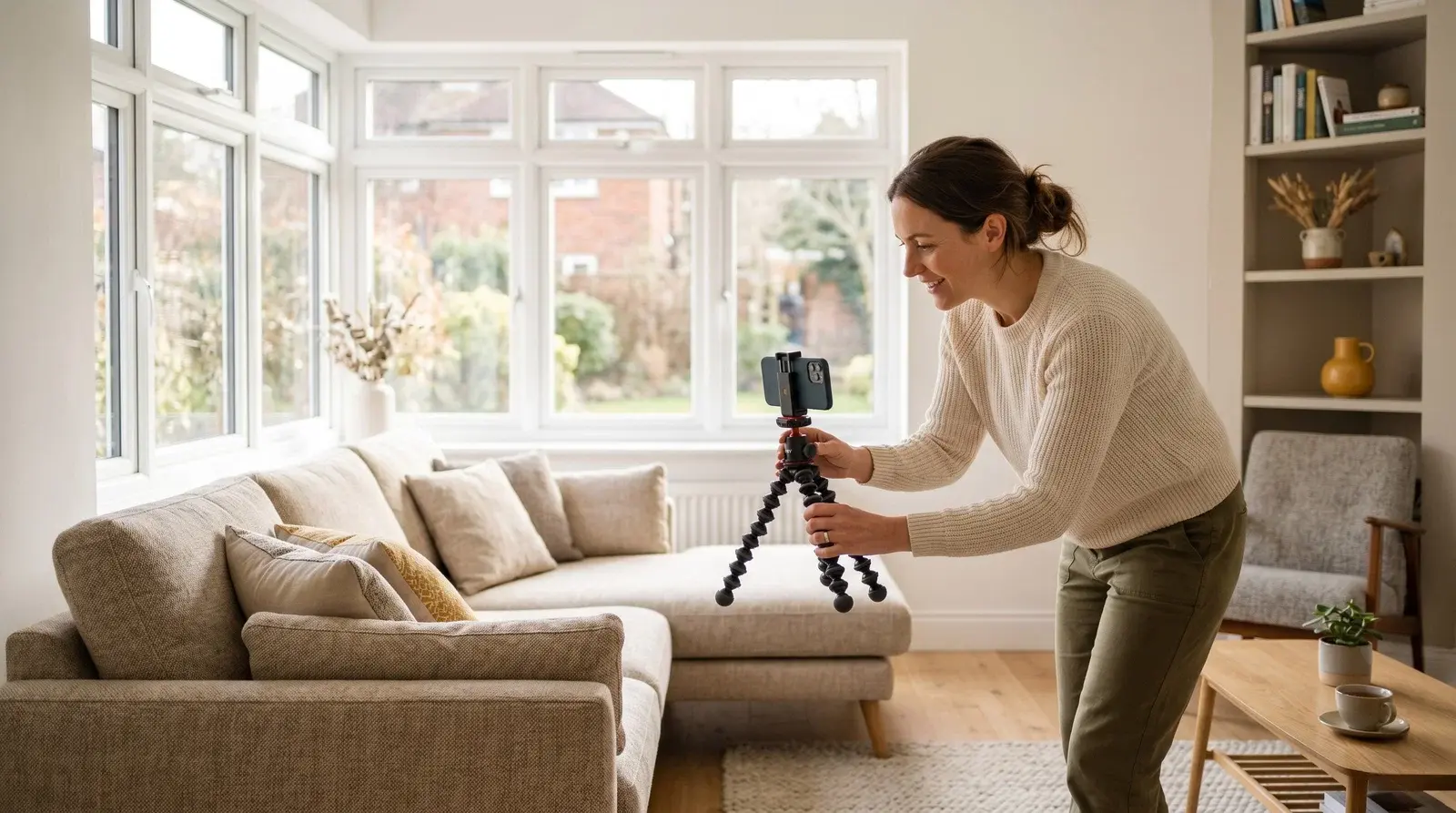
Yes, you can shoot strong listing photos on a phone. Any phone from the last few years will do the job if you nail the basics: shoot in good natural light, declutter and stage each room, hold the camera level at chest height, and make a few subtle edits afterwards.
Why Does Property Photography Matter?
Listings with professional photos tend to get more clicks and enquiries. In our experience, properties with bright, well-staged images consistently outperform those with dark or cluttered shots. First impressions are everything.
But professional photography can cost £200-500 per property. When you're managing multiple units, that adds up quickly. The good news? With the right techniques, your smartphone can produce photos that compete with professional shots.
What Equipment Do You Already Have?
You don't need expensive gear to get started:
- Smartphone: Any phone from the last 3-4 years has a capable camera
- Tripod: A £15 phone tripod eliminates camera shake
- Cleaning supplies: Microfibre cloth for lens and surfaces
- Yourself: Time and attention to detail
Optional Upgrades Worth Considering
- Wide-angle lens attachment: £10-30, makes rooms look more spacious
- Ring light: £20-40, consistent lighting for smaller spaces
- Photo editing app subscription: Lightroom Mobile is free with premium features at £10/month
Why Is Natural Light the Golden Rule?
Lighting makes or breaks property photos. Natural light is your best friend.
What Is the Best Time of Day to Shoot?
- Ideal: Mid-morning (9-11am) or mid-afternoon (2-4pm)
- Avoid: Midday (harsh shadows) or evening (too dark)
- Overcast days: Actually great - soft, even light
How Do You Maximise Natural Light?
- Open all curtains and blinds fully
- Turn on all lights (even during the day)
- Shoot with windows to the side or behind you, not directly facing them
- Avoid mixing light sources (warm lamps + cool daylight = colour cast)
When Natural Light Isn't Enough
- Use a ring light for bathrooms and dark corners
- Bounce flash off white ceilings (not directly at the subject)
- Take multiple exposures and blend in editing
How Should You Stage Each Room?

Photos should show the property at its aspirational best: clean, tidy, and inviting. If you run serviced accommodation, the same principles carry straight through to your listing pages and your serviced accommodation website.
The Declutter Checklist
- Remove all personal items (photos, toiletries, medications)
- Clear countertops and surfaces
- Hide bins, cleaning products, cables
- Remove fridge magnets and notice boards
- Close toilet lids
- Make beds with crisp, unwrinkled linens
Styling Tips
- Kitchens: Fresh fruit bowl, cookbook on stand, matching tea towels
- Bedrooms: Throw pillows, folded throw at bed foot, bedside flowers
- Bathrooms: Rolled white towels, plant, soap dispenser set
- Living areas: Plumped cushions, coffee table book, minimal décor
The "Hotel Standard" Test
Ask yourself: would this photo work in a hotel brochure? If not, what's making it look amateur?
Which Smartphone Camera Settings Should You Use?
iPhone Tips
- Use the 0.5x (ultra-wide) lens for room shots
- Tap to focus, then hold and drag exposure up/down
- Turn on grid lines (Settings > Camera) for composition
- Use HDR mode for high-contrast scenes
Android Tips
- Use Pro/Manual mode for more control
- Set white balance to match lighting conditions
- Enable HDR for challenging light
- Use ultra-wide lens if available
Universal Settings
- Clean the lens before shooting
- Hold phone horizontally (landscape orientation)
- Use the timer or volume button to avoid shake
- Don't use digital zoom - move closer instead
What Are the Composition Basics?
The Rule of Thirds
Divide your frame into a 3x3 grid. Place key elements along grid lines or at intersections, not dead centre.
Height and Angles
- Standard height: Chest height (4-5 feet) for most room shots
- Corner shots: Shoot from a corner to show two walls and more depth
- Keep camera level: Tilted photos look amateur
- Avoid shooting straight at mirrors: You'll be in the photo
What to Include in Each Shot
- Show relationships between furniture and space
- Include floor, walls, and ceiling where possible
- Feature interesting architectural details
- Capture natural flow between spaces
The Essential Shot List
For each property, aim to capture:
- Exterior: Front of building, entrance, parking, garden
- Living area: Wide shot, seating detail, TV area
- Kitchen: Full kitchen, appliances, dining area
- Each bedroom: Wide shot showing bed and window, storage
- Bathroom(s): Full room shot, shower/bath detail
- Special features: Balcony, workspace, views, unique elements
Aim for 15-25 photos per property - enough to tell the full story without overwhelming.
How Should You Edit Your Photos?
Raw photos usually need some adjustments. Keep edits subtle and realistic.
Recommended Apps
- Lightroom Mobile: Professional controls, free basic version
- Snapseed: Free, powerful, and intuitive
- VSCO: Great presets for consistent style
Basic Adjustments
- Exposure: Brighten slightly (properties should feel light and airy)
- Contrast: Increase slightly for punch
- Highlights: Pull down to recover window detail
- Shadows: Lift to show detail in dark areas
- White balance: Correct any colour casts
- Straighten: Ensure vertical lines are truly vertical
Common Editing Mistakes
- Over-brightening (looks washed out)
- Too much saturation (looks unrealistic)
- Heavy vignettes (looks dated)
- Over-sharpening (looks harsh)
When Should You Hire a Professional?
DIY works for most situations, but consider a pro when:
- Launching a premium property (£200+ per night)
- Photos for your main website hero images
- Drone shots for properties with impressive grounds
- Twilight/dusk shots (technically challenging)
- Properties that aren't performing despite other efforts
Many photographers offer packages for multiple properties - often £100-150 per property if you book several at once.
Quick Wins Checklist
Before your next photo session:
- ☐ Check weather forecast (overcast is good)
- ☐ Clean property thoroughly
- ☐ Stage each room with minimal props
- ☐ Clean camera lens
- ☐ Check battery is charged
- ☐ Plan your shot list
- ☐ Allow 1-2 hours for a full property
Conclusion
Great property photography is a skill anyone can learn. The techniques above (proper lighting, thoughtful staging, and basic editing) will transform your listings without a professional budget.
Start with your next vacant property. Take your time, follow these guidelines, and compare the results to your old photos. The difference will speak for itself, and so will your booking rates.
Once you have a set of photos you're proud of, give them a great site to live on. A clean, fast property website shows off your work far better than a listing platform alone, and Brick lets you build one in minutes. See how it works on the Brick product page.
Frequently Asked Questions
Can I shoot listing photos on my phone?
Yes. Any smartphone from the last few years has a camera capable of strong listing photos. The results come from technique rather than gear: good natural light, a tidy staged room, a level camera at chest height, and a few subtle edits afterwards.
What is the best time of day to photograph a property?
Aim for mid-morning (around 9 to 11am) or mid-afternoon (around 2 to 4pm), when the light is soft and even. Avoid harsh midday sun and dim evenings. Overcast days are actually ideal, as the cloud cover gives you flattering, shadow-free light.
How many photos should I take per property?
Aim for around 15 to 25 images per property. That is enough to show every room and key feature, and to tell the full story, without overwhelming a viewer or burying your best shots.
When is it worth paying a professional photographer?
Consider a pro for premium properties, hero images on your main website, drone or twilight shots, or any listing that is underperforming despite your other efforts. Many photographers offer cheaper rates per property when you book several at once.
Give your photos a home that does them justice
You have done the hard work styling and shooting. A clean, fast property website shows it off far better than a listing platform alone. Brick lets you build one on your own domain in minutes, with no developer needed.